Merge and create your Sound Reports in seconds.
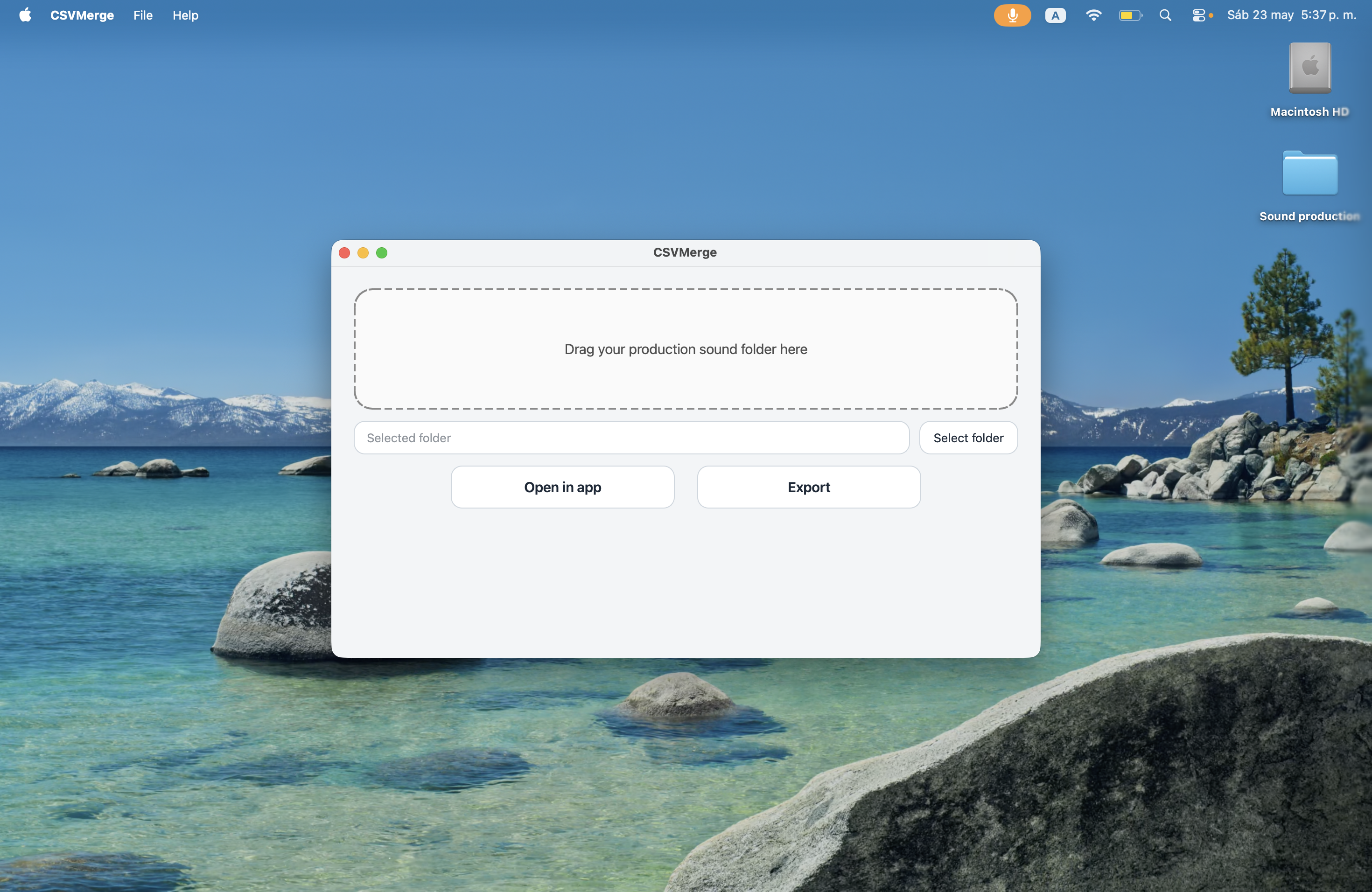
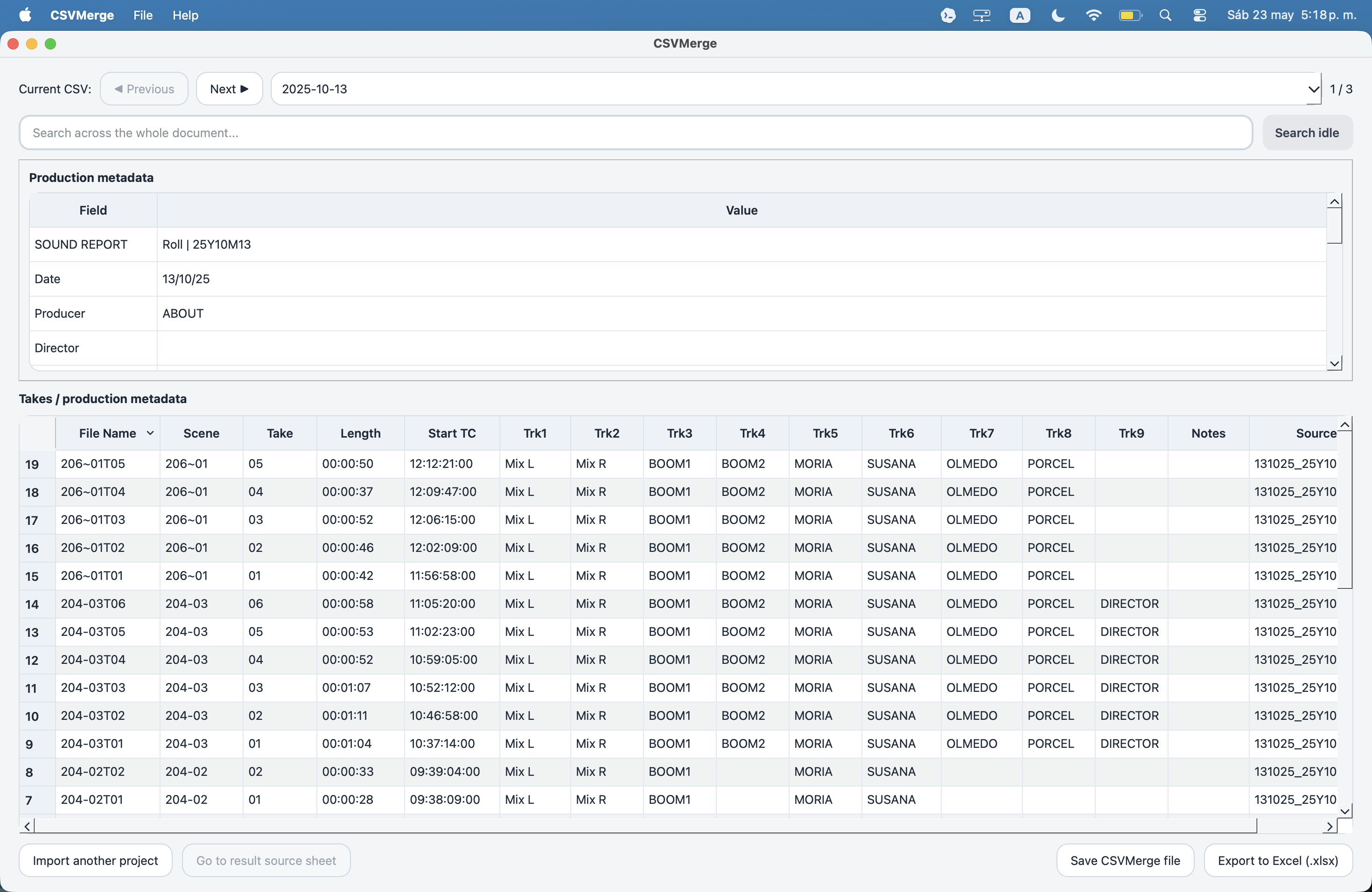
Drag and drop your entire production sound folder. CSVMerge automatically isolates your reports so you can search and review within the app, or export all your metadata into a single Excel file. Missing a sound report? CSVMerge generates it instantly by reading the metadata directly from your audio files. 100% Offline.
Currently available for macOS. Looking for a Windows version?
Why use CSVMerge?
Drag & Drop
Simply drag and drop. There is no need to manually search for reports. The tool identifies what you need.
Report Reconstruction
The app detects missing shooting days and generates the sound report by extracting metadata directly from the original WAV files.
Workspace
Search and filter metadata within the app, without the need to open multiple spreadsheets.
Privacy
The data never leaves the computer. All processing is strictly local and offline to guarantee the confidentiality of your work.
Frequently Asked Questions
What types of files does the app process?
CSVMerge is specifically designed for location sound and audio post-production workflows. It processes sound reports in CSV format generated by all field recorders. Additionally, it can read BWF metadata directly from WAV files to reconstruct missing reports. When you drop your production folder, the system intelligently isolates the relevant data while ignoring heavy audio assets.
What happens if a sound report is missing from a shooting day?
CSVMerge has you covered. If you forgot to export a report on set, the app can automatically reconstruct it. It scans your original audio folder, extracts the embedded BWF metadata from the WAV files, and generates the missing daily report instantly so you don't lose any data.
Does the app modify my original audio files when extracting metadata?
No. CSVMerge uses strict read-only operations to scan and extract BWF metadata from your WAV files. Your original audio assets are never altered or modified in any way.
How is the privacy of my metadata guaranteed?
Privacy is absolute. All data processing happens 100% locally on your Mac. The app only connects to the internet periodically to validate your license key against our payment processor, transmitting strictly the key and your IP address. Your production sound folders, file names, scene details, and take notes never leave your hard drive, ensuring compliance with the strictest industry NDAs.
Do I need to structure the files before dragging them in?
No. You can drag and drop the master folder exactly as it comes from the film set. The tool searches recursively through all subdirectories, automatically finding and consolidating the daily logs into a unified workspace.
Can I work directly within the app, or do I have to export to Excel?
The interactive Workspace is designed to replace traditional spreadsheets altogether. You can apply dynamic filters, search globally for specific scenes or takes, and verify data consistency right within the app. When you do want to save or share, you can export the data as a standard Excel file (.xlsx) or save it as a .merge session file to instantly reopen your exact workspace in CSVMerge later.
Is there a Windows version of CSVMerge?
CSVMerge is currently exclusively available as a native macOS application. However, we are actively developing a Windows version. You can sign up using to join the waitlist and be the first to know as soon as it launches.
Can I share feedback or request new features?
Absolutely. CSVMerge is currently in its v1 release, and we want to shape its future based on your real-world needs. We actively welcome your feedback, feature requests, and workflow ideas. Our goal is to continuously implement improvements that solve everyday problems for production sound mixers. You can reach out to us directly using the email address located in the footer of this page.